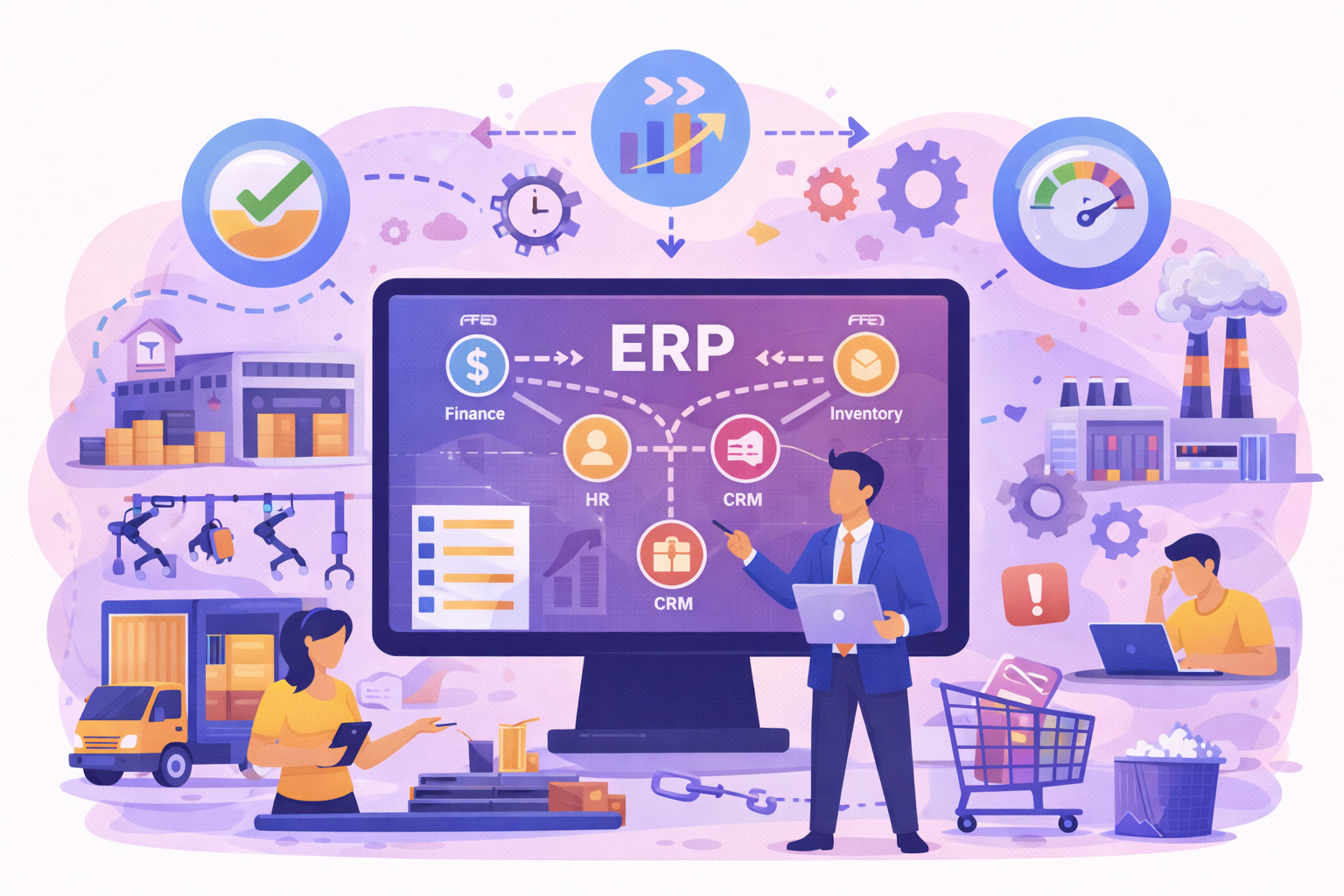
An ERP implementation is the project of configuring, migrating data to and launching an enterprise resource planning system that connects finance, purchasing, supply chain, production and HR. Its success is not measured on go-live day but by how well your teams actually use the system: simple workflows, training on real scenarios and support inside the ERP itself.
Key takeaways
- A successful ERP implementation is judged by how teams actually use the system, not only by the go-live date.
- Involving key users from the design phase prevents overloaded workflows and workarounds in the field.
- Simulation-based training and in-app guidance inside the ERP reduce errors and support requests.
- Measuring adoption after go-live shows which modules are misunderstood so you can adjust support.
The classic pitfall: a powerful solution, but underadopted
ERP systems are designed to standardize, automate, and secure business processes. However, too often, their implementation results in:
Related use case: go-live and ERP training: certify users before launch
- Overloaded, or even redundant, processes
- A complex interface not suited for field use
- Unengaging theoretical training
- Increased resistance to change
- Constant IT support requests
- Loss of productivity during the transition phase
Why? Because complex interfaces, overly theoretical training, or a lack of on-the-ground support create a gap between the tool and those who use it daily.
The common mistake is to think that the software alone is enough. In reality, a powerful ERP that is poorly understood quickly becomes a hindrance. It overburdens users instead of empowering them. It introduces additional steps where simplification is needed. And it sometimes leads to silent rejection, difficult to detect but with serious consequences.
Business and support departments (IT, HR, Finance, Supply Chain, etc.) fear these counterproductive effects. The goal is therefore to anticipate and streamline the user experience from the project's design phase.
Placing the user at the heart of the deployment
The success of an ERP doesn't just depend on its functional power, but on its ability to be adopted and used daily.
To achieve this:
- Involve key users from the design phase.
- Gather real-world needs from the field.
- Prioritize ergonomics and workflow simplicity.
- Adapt the ERP's configuration to business realities.
This is a user-centric approach, which must be supported by digital assistance tools to avoid burdening processes.
What are the phases of an ERP implementation?
Most projects follow the same broad phases. As Prosci puts it, ERP implementations are not just technology implementations but large-scale changes to how people work, and its research finds that human factors matter six times more than technical factors in improving ERP benefits. Adoption therefore has to be built into every phase, not added after go-live.
- Scoping: objectives, success metrics, functional scope and project governance.
- Selection: fit with your business processes, deployment model (cloud or on-premises) and the integrator’s ability to support change. Our guide on how to choose an ERP covers this step.
- Design and configuration: workshops with key users so the ERP system neither copies nor complicates existing processes.
- Data migration: cleaning and transferring master data (customers, items, suppliers, accounting).
- Testing and user acceptance: real business scenarios, run by the people who will use the system.
- Training: role-based learning paths, ideally on a replica of the ERP before go-live.
- Go-live: cutover to production according to the chosen rollout strategy.
- Hypercare and continuous improvement: reinforced support, usage tracking and adjustments.
These phases apply to any business software; for the detailed method, see our guide to software implementation in 8 steps. What sets an ERP apart is scale: finance, purchasing, logistics, production and HR often change their habits at the same time.
Smart training, without interrupting operations
Training is another critical step in ERP deployment. However, traditional formats (one-off in-person sessions, technical PDFs, generic e-learning) quickly show their limitations. They consume time and energy, and produce few lasting results. Too often, users retain little information and turn to support as soon as a doubt arises.
This is where an immersive approach makes all the difference. With K-STUDIO, Knowmore offers an active training method, directly inspired by real-world business actions.
Thanks to application simulation:
- Users train in an environment that faithfully replicates their ERP
- They learn by doing, with no risk of real errors
- They progress at their own pace, through scenarios relevant to their job
- They build reflexes that streamline processes in the field
Train, yes. Complicate, no. This is one of the great advantages of business simulation: learning by doing, without interrupting operations.
Support users daily with a DAP
Even after thorough training, the true adoption of an ERP is an ongoing process. Users need contextual help, precisely when they need it, without having to consult a manual or call support. This is the role of a Digital Adoption Platform (DAP) such as K-NOW.
K-NOW integrates directly into the ERP interface to guide the user step by step. Each process can be assisted in real-time: creating a purchase order, entering HR data, tracking inventory, and more.
K-NOW guides users within the ERP, in real-time:
- Interactive step-by-step guides
- Contextual help directly integrated into the application
- Targeted notifications and personalized onboarding
- Reduced support through enhanced autonomy
As a result, users become more autonomous, errors decrease, and IT teams are less burdened. The ERP becomes a fluid and intuitive tool that supports work instead of slowing it down.
Measure adoption for continuous adjustment
Deploying an ERP isn't just about ticking a box. It's a living process that needs to be measured, adjusted, and optimized over time. Too often, business departments lack reliable indicators to know if the tool is truly adopted, if certain modules are problematic, or if transformation objectives are being met.
This is where K-VALUE comes into play. This analytical platform allows you to:
- Track user engagement by application, profile, or region
- Identify underutilized or misunderstood modules
- Evaluate the impact of training and digital support
- Adjust actions based on adoption KPIs
- Visualize adoption rates by application, profile, or entity.
By cross-referencing this data with training actions or contextual messages delivered by K-NOW, teams can adjust their strategy in real time. Adoption becomes a performance lever, managed as a full-fledged business KPI. A data-driven approach that avoids unnecessary overloads by optimizing efforts where the need is real.
Standardize without creating rigidity
One of the expected benefits of an ERP is process standardization. But be careful not to fall into the opposite extreme: overly rigid workflows that don't account for local or sectoral specificities risk leading to workarounds. To remain effective, processes must be structured but flexible enough to allow for adaptation.
Thanks to Knowmore solutions, it becomes possible to offer a consistent interface while adapting messages, journeys, and support based on user profiles. An HR employee doesn't need the same level of guidance as an IT project manager or a logistics manager. This intelligent personalization helps maintain the course of transformation without hindering operational agility.
To do this:
- Define a common core, but allow for adaptation based on specific roles
- Provide personalized guides per user profile
- Maintain an open feedback loop through your adoption tools
- Evolve the ERP based on actual observed usage
Big bang or phased ERP implementation: which is easier on your teams?
Your rollout strategy directly determines the load placed on operational teams. TechTarget describes the two main options: a big bang approach, where the whole ERP is configured and launched at once, and a phased approach, where it goes live in several waves and users can give feedback between phases.
| Strategy | Principle | Impact on users |
|---|---|---|
| Big bang | All modules and sites go live on the same day | Massive, simultaneous change: training and support must be ready for everyone on day one |
| Phased by module | One module after another (for example finance, then purchasing) | Load is spread out, but users work with temporary interfaces to the legacy system |
| Site by site | One plant, entity or country at a time | Early sites act as pilots and improve training for the next ones |
| Parallel run | Old and new systems run side by side for a period | Reassuring, but teams temporarily enter data twice |
Whatever you choose, schedule training and in-app guidance to match each wave: every group of users must be ready at the exact moment its scope switches over. A structured digital adoption plan helps you sequence these actions.
Conclusion
Deploying an ERP is a powerful transformation driver… provided it doesn't complicate business processes or disengage users. To achieve this, it's essential to implement intelligent, personalized, and measurable digital support.
With the K-NOWand K-STUDIO and K-VALUE, Knowmore enables businesses to:
- Facilitate ERP adoption
- Simplify operational processes
- Reduce errors and training costs
- Continuously measure results
Looking for a truly adopted ERP?
Schedule a demo of our solutions or let's discuss your ERP projects: Contact us.
Use case
SAP S/4HANA migration: Train users and secure adoption during your move to SAP S/4HANA.
Frequently asked questions
What is an ERP implementation project?
An ERP implementation project consists of selecting, configuring and putting into production an enterprise resource planning system that centralizes a company’s data and processes: finance, purchasing, inventory, production, sales and HR. It is a cross-functional transformation involving executives, IT, business teams and an integrator, and its success depends as much on user adoption as on technology.
Why do ERP implementations fail?
ERP implementations most often fail because of vague scoping, poor data quality, processes overloaded by complex configuration and insufficient change management. Poorly trained users then work around the ERP with spreadsheets, make more errors and flood the support desk. Measuring real usage after go-live helps you detect these warning signs early and target support where it is needed.
Who should be involved in an ERP implementation?
An ERP implementation needs an executive sponsor, a project manager, the IT department, the integrator and, above all, key users from every business function affected: finance, purchasing, logistics, production and HR. Key users take part in design workshops and acceptance testing, then relay training and first-level support to their colleagues after go-live.
What is hypercare after an ERP go-live?
Hypercare is the period immediately after an ERP goes live. Project teams, the integrator and the support desk remain on heightened alert to fix defects quickly, answer user questions and stabilize processes. It is also the time to track the first adoption metrics so that ERP support and training can focus on where users are actually struggling.
What is the difference between ERP and SAP?
ERP is a software category: enterprise resource planning. SAP is a German software vendor whose current ERP is called SAP S/4HANA. When a company says it is “implementing SAP,” it usually means it is deploying that vendor’s ERP. Other vendors offer competing ERP systems, such as Oracle, Microsoft Dynamics 365, Sage and Infor.